
Just when I thought creating videos couldn’t get any easier, along comes another AI-powered tool determined to prove me wrong.
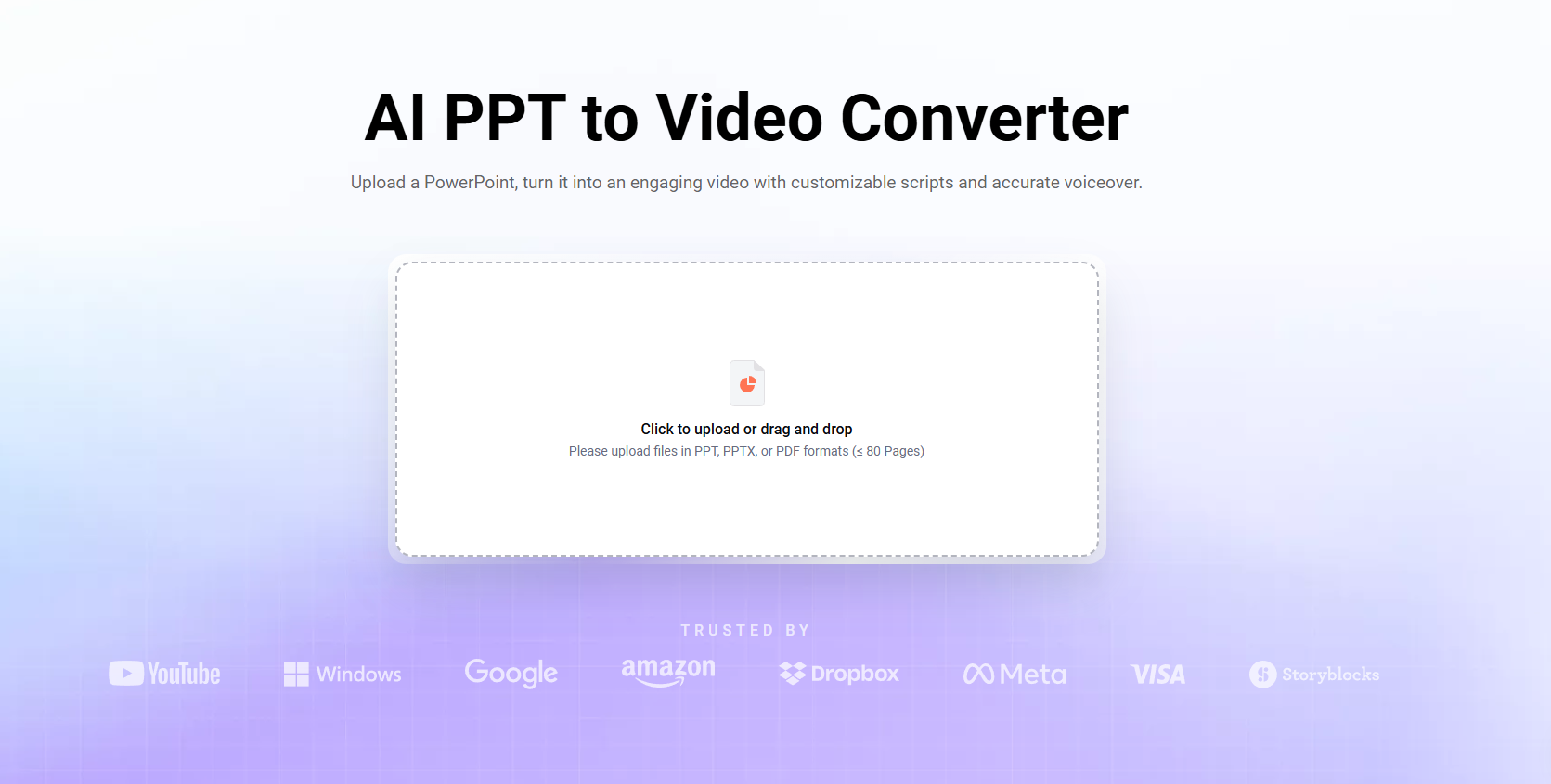
I’ve been following FlexClip for quite some time, and one thing I’ve consistently appreciated is how the company keeps finding ways to make video editing less complicated. From AI-powered editing tools to converting PowerPoint presentations into videos, FlexClip has steadily eliminated many of the headaches associated with content creation.
Now, the team behind FlexClip has introduced CutBay, an AI-powered video creation platform designed around a surprisingly simple concept: Tell the AI what you want, and let it do the heavy lifting.
No complicated timelines. No endless tutorials. Just your ideas and a little assistance from artificial intelligence.
And from what I’ve explored, CutBay is off to an impressive start.
Video Creation Shouldn’t Require a Film Degree

One of my favorite things about CutBay is its simplicity.
Instead of opening the application and being greeted by enough editing controls to launch a spaceship, you’re presented with a clean interface and a text box asking what kind of video you’d like to create.
Want a product demonstration? Describe it.
Need a promotional video for your business? Type what you have in mind.
Looking to transform an article into something more engaging? CutBay has tools designed for that, too.
The idea is to have AI interpret your instructions, organize the content, and help assemble a video with graphics, animation, narration, and other visual elements.
What makes this approach particularly appealing is that you’re no longer required to understand the technical side of video production before creating something worthwhile.
The focus shifts from how do I make this? to what do I want to communicate?
And that’s a significant improvement for everyday content creators.
I also appreciate that the interface doesn’t feel intimidating. Everything is organized, easy to identify, and designed to get you creating rather than searching through menus.
Naturally, the quality of the final video will depend on the instructions you provide and any adjustments you make afterward. AI isn’t a mind reader, at least not yet.
But CutBay certainly makes getting started feel effortless.
Beautiful Templates That Do More Than Fill Space
Another area where CutBay immediately caught my attention is its impressive collection of ready-made templates.
And I’m not talking about the generic, uninspired designs we’ve all seen a thousand times.
CutBay offers visually appealing templates featuring modern typography, animated graphics, colorful backgrounds, futuristic product demonstrations, and professional business presentations.
The designs look contemporary and polished, which is exactly what I want when creating something intended for public viewing.
Templates are organized into categories such as Marketing, Business, Education, Social Media, Data Visualization, and Motion Graphics. That makes finding something suitable considerably easier than scrolling through an endless gallery of unrelated options.
I particularly like the motion graphics and promotional templates because they provide a professional-looking foundation without requiring users to build animations from scratch.
That’s valuable for small businesses, marketers, and creators who want their content to look impressive but don’t necessarily have the budget to hire a professional video production team.
Of course, attractive templates are only the starting point. You’ll still need meaningful content to make an effective video.
But when the visual foundation already looks this good, half the creative battle feels like it’s been won.
A Whole Toolbox of AI Features

Video creation formats

AI-powered editing and conversion tools
Beyond its templates, CutBay includes an extensive collection of video creation and editing features.
You can create videos from text, PowerPoint presentations, PDFs, documents, website URLs, and blog articles. There are also dedicated options for explainer videos, educational content, animated charts, product demonstrations, and YouTube Shorts.
For someone producing content across multiple platforms, having these capabilities available in one place is a major convenience.
One feature that particularly interested me was Talking Head Editing.
Anyone who’s ever recorded themselves speaking on camera knows that getting a clean take isn’t always easy. There are awkward pauses, repeated sentences, filler words, and those wonderful moments when your brain apparently decides to take an unscheduled vacation.
CutBay offers automated tools to trim pauses, remove filler words, eliminate repeated takes, and create jump cuts.
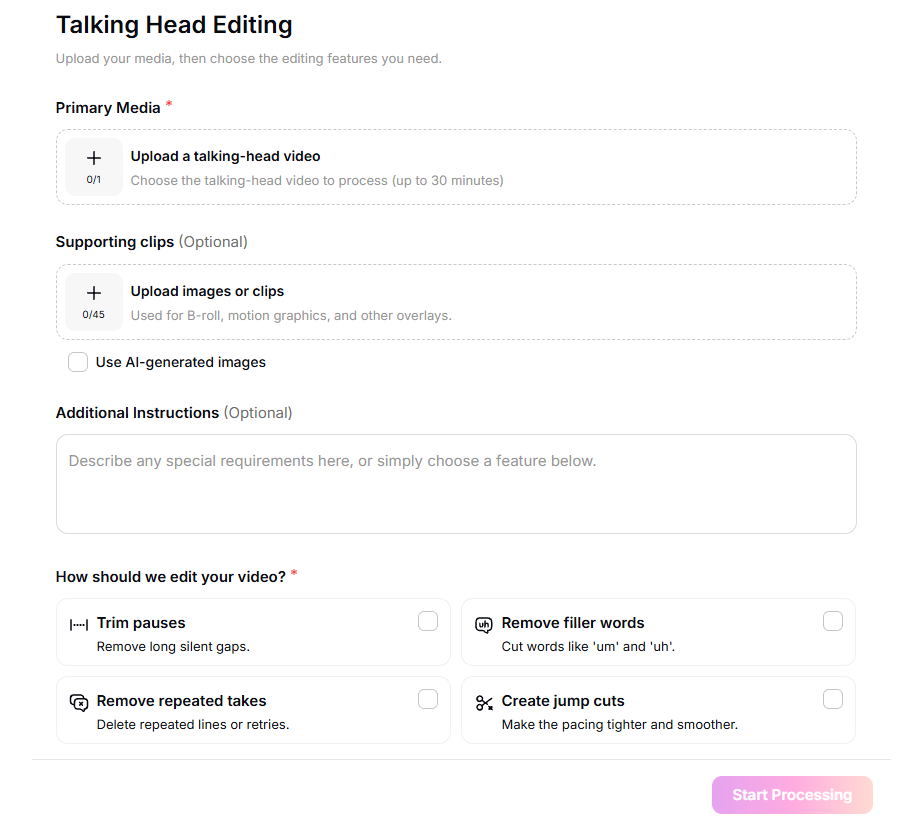
You can also upload supporting footage and images or choose to incorporate AI-generated visuals.
I like how straightforward the process appears. Rather than manually hunting down every awkward pause or repeated sentence, you select the editing features you want and let the software handle much of the cleanup.
That could be particularly useful for YouTubers, educators, and anyone creating instructional or promotional videos.
I would still recommend reviewing the finished product before publishing. AI can occasionally remove something that was intentional or make editing choices that don’t quite fit your style.
Nevertheless, these tools demonstrate just how much routine video editing can potentially be automated.
FlexClip Keeps Raising the Bar
What makes CutBay especially interesting to me is that it comes from the same company behind FlexClip.
I’ve reviewed FlexClip several times here at Review Junkies, including my articles on FlexClip AI 5.0 and FlexClip’s AI PowerPoint-to-Video capabilities.
With each update, I’ve watched the company make video editing more accessible.
CutBay feels like the next logical step in that evolution.
Where FlexClip provides an approachable editor supported by AI tools, CutBay puts conversational AI at the center of the experience.
Rather than having to figure out how to assemble every element yourself, you communicate your vision and allow the platform to help build it.
It’s an approach that could appeal to people who have great ideas but little interest in learning traditional editing software.
And frankly, that’s a much larger audience than some professional video editors might realize.
Not everyone wants to become a filmmaker. Sometimes people just need an engaging video to promote their business, explain a product, or share something interesting.
If CutBay can consistently deliver on that promise, it could become a valuable creative tool. At this rate, the hardest part of making a video might soon be deciding what you want it to be about.
Despite my enthusiasm, there is one of thing worth considering.
CutBay uses a credit-based system, meaning frequent video creation or repeated revisions could affect how much you spend. Before subscribing, I’d recommend checking the current pricing, available credits, and export limitations to determine which plan best matches your needs.