

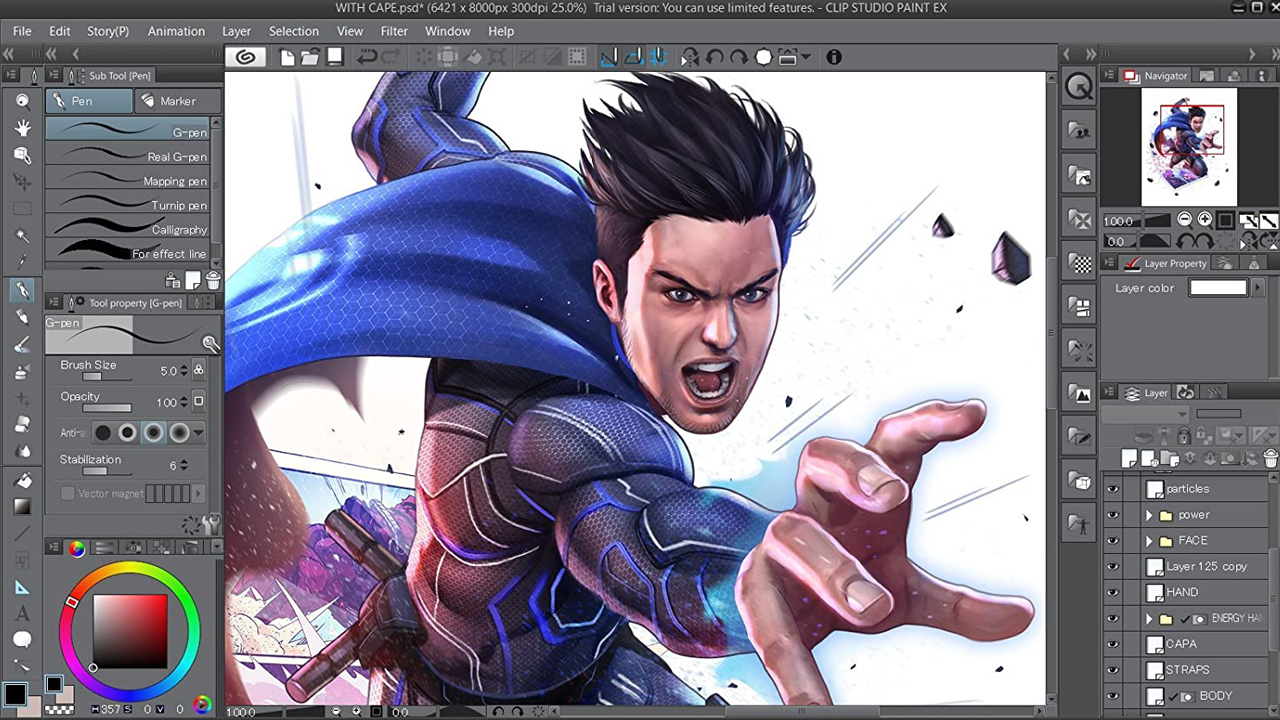
As a digital artist, I’ve always been on the hunt for software that can keep up with my creative flow and provide the tools I need to bring my ideas to life. That’s when I stumbled upon Clip Studio Paint. This illustration, comic, webtoon, and animation app has been a game-changer in my artistic journey. In this review, I’ll be sharing my experience with Clip Studio Paint, focusing on its latest update, Version 2.0.
Compatibility Across Devices
One of the first things that drew me to Clip Studio Paint is its compatibility across various platforms. Whether I’m sketching on my iPad during my commute or adding the finishing touches on my macOS at home, Clip Studio Paint has got me covered. This seamless transition between devices has significantly improved my workflow and allowed me to create whenever inspiration strikes.
What’s New in Clip Studio Paint Ver. 2.0
The latest update, Version 2.0, brings a host of innovative features that have taken my art to the next level.
More Realistic Brush Blending
The new Mixing mode option in the Ink section has revolutionized the way I blend colors. The Perceptual setting offers more realistic and intuitive color blending, adding depth and dimension to my artwork. The Brightness correction feature allows for more detailed adjustments, giving me greater control over my color palette.

Shading Assist for Automatic Shadows
The new Shading Assist feature has significantly sped up my coloring process. It automatically adds shading based on the lines and existing colors, allowing me to create more dynamic and realistic pieces. The ability to adjust the position, angle, and shadow color of the light source has given me the freedom to experiment with different lighting scenarios.
Customizable Head Model for Character Sketching
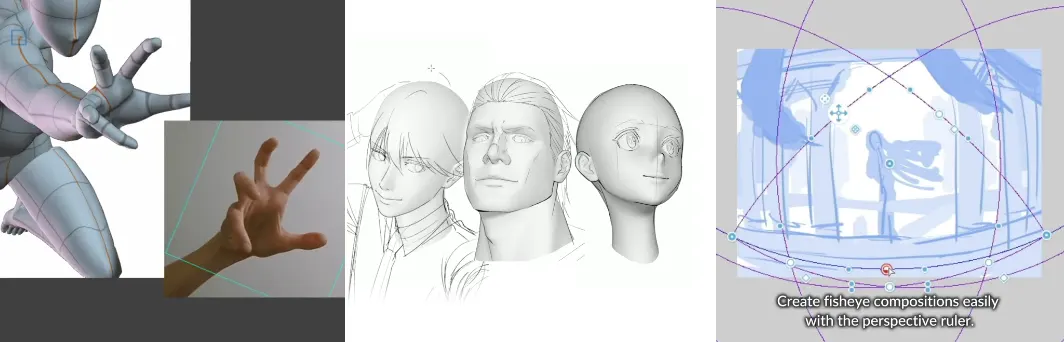
The addition of the 3D head model has been a game-changer for my character designs. I can adjust the overall head shape and facial features, providing a solid reference for my sketches. This feature has helped me achieve more accurate and consistent character designs.
Hand Pose Scanner for Realistic Hand Poses

The Hand Pose Scanner is another innovative feature that I’ve found incredibly useful. It allows me to import a hand pose from my device’s camera in real time and apply it to the model. This feature has been instrumental in creating more realistic and dynamic hand poses in my artwork.
Fisheye Perspective Support for Unique Perspectives
The new fisheye perspective support has opened up a whole new world of possibilities for my artwork. It allows me to apply fisheye perspectives to the canvas, creating unique and interesting compositions.
Pricing Plans
Clip Studio Paint offers a monthly plan at $0.99, which is a steal considering the wealth of features it offers. There’s also a one-time purchase option at $49.99. For those who want to try before they buy, Clip Studio Paint offers a free trial.
Conclusion
In conclusion, Clip Studio Paint is a powerful and versatile digital art software that caters to a wide range of artistic needs. Its innovative features, cross-platform compatibility, and affordable pricing make it a standout choice for any digital artist. Whether you’re a professional illustrator or a budding artist, Clip Studio Paint is definitely worth checking out.